Command Line
Some info on the intimidating Bash (Bourne-Again-Shell)

When you hold the Ctrl and Alt keys and press T (Ctrl-Alt-T) in most Linux distribution you will enter the shell window.
check with your favorite Linux distribution instructions, some have shortcuts that are easier. When you enter the shell
you will notice some words and symbols like; system02:~/myspace, It means (your username) :~/ (current directory).
You best get familiar with the Shell window. Because here is where you will type most of your commands.
MAN - Manual
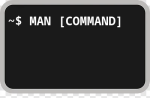
Displays the on-line manual pages for a given COMMAND.
MAN [name] is normally the name of the manual for that command, function, or file. However, if name contains a slash (/) then man interprets it as a file.
To exit the manual for that command, press “q” for QUIT.
LS - list files
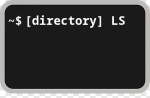
Lists all files within the current directory.
A slash (/) post-fixed after a name indicates that it is a directory. In this case, bar/ and foo/ are directories.
Anything WIHTOUT a slash are all files.
CD - change directory
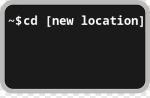
Change directory from current location.
You can see that the directory changes according to what you type after cd.
Typing cd alone without any argument (without anything that follows it) will bring you to the home directory of the user.
Linux Commands.org
In this page you can find more info on Shell commands
visit LinuxCommands.org to learn more.
There is also a free book online at The Linux Command Line.